Open WebUI for Local AI
Browser-based control room for your Local AI stack: multi-user chat, permissions, RAG tools, and model dashboards—running on your own hardware.
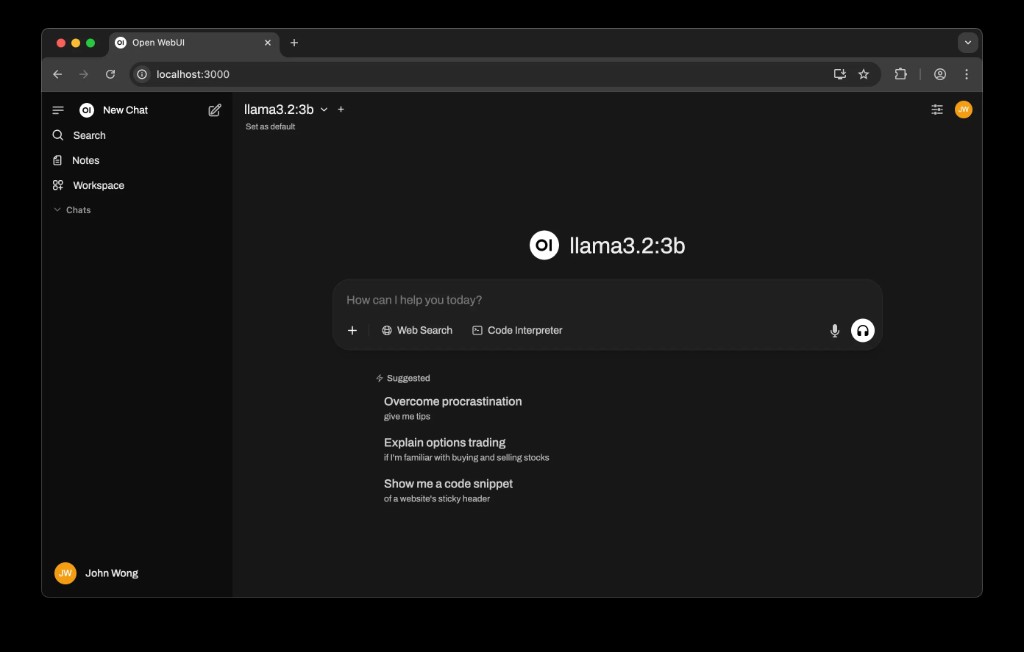
Shared browser UI
Team members reach Local AI through a simple web interface—no terminals or config files required.
Multi-user permissions
Create workspaces and roles so different departments can use Local AI safely with the right access level.
RAG & tools
Connect Open WebUI to your local RAG index and tools so users can search documents and run workflows directly in the chat UI.
Official links
- Open WebUI website: openwebui.com
- Ollama (model backend): ollama.com
- Llama models overview: llama.com
- Obsidian (knowledge base app): obsidian.md
Core usage patterns
- Standard browser experience: open a URL on your LAN and start chatting with Local AI.
- Separate spaces for teams (Operations, Sales, HR) with different default models and tools.
- Built-in history so conversations stay on the server you control, not in a third-party cloud.
Integrations with Local AI stack
- Connects to Ollama for model hosting and streaming responses from Llama and other models.
- Uses your local RAG service to answer questions over internal PDFs, spreadsheets, and notes.
- Can expose tools for automation (e.g. running scripts, querying internal APIs) behind safe prompts.
Admin, security, and monitoring
Admin capabilities
- Manage users and roles; decide who can access which models and data sources.
- Configure default prompts and guardrails for different teams.
- Turn experimental features on/off without touching the underlying stack.
Security & observability
- All traffic stays on your LAN and terminates on your Mac Mini or local server.
- Hook logs into the Local AI Debugger / Observer for request‑level visibility.
- Export anonymised usage metrics (optional) without exposing raw content.
Next steps
If you want Open WebUI configured for your organisation—including roles, tools, and RAG integration—book a session and we’ll scope it together.
Talk about Open WebUI