AI Dev Suite
100% local AI tooling for developers: knows your files and code. Chat with Ollama; extended thinking (Qwen3, DeepSeek R1/V3) for reasoning traces; Zed & OpenCode via ACP; memory, document drive, RAG research. One-click install. TUI, web, and desktop app. Your code never leaves your machine.
Come and help me develop the AI Dev Suite.
AI Dev Suite & Debugger
Local AI tooling for developers: chat, memory, drive, RAG research. Debugger & Observer to diagnose API issues, run fixes, and analyze logs. Debugger
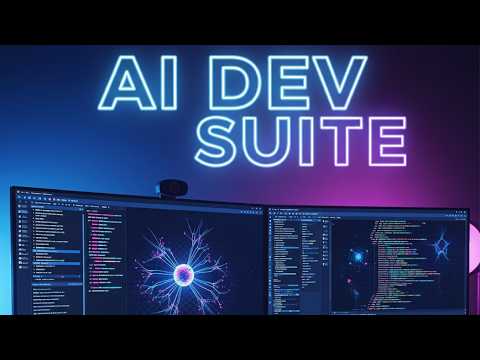
Your code, in context
Add files and folders to Drive or knowledge bases. The AI knows your files and lines of code—answer questions, refactor, debug with full context. Supports PDF, DOCX, TXT, MD; table detection; section metadata.
Extended thinking
For Qwen3, DeepSeek R1, DeepSeek-v3, GPT-OSS. Shows reasoning traces before the answer—hard math, multi-step debugging, architecture choices. Use when depth matters.
Zed & OpenCode via ACP
Agent Client Protocol over stdio. Your editor launches the agent as a subprocess; JSON-RPC to the suite API. All inference local—Ollama, memory, KBs. Configure in Zed agent_servers.
Chat commands
/memory, /remember, /behavior, /drive add, /research, /bye. Typo-tolerant. Auto-extract facts on exit.
RAG & web research
Hybrid BM25+vector retrieval. Internet button for web context; URLs fetched directly. /research for query + AI answer. Chroma + Ollama, optional Jina.
Debugger & Observer
Diagnose "(no response)", "terminated", "Cannot reach API". Electron UI with status, logs, test chat, LLM analysis. Terminal observer. A2A agent.
View Debugger →Screenshots
Debugger & Observer
Diagnose chat failures like "(no response)", "terminated", and "Cannot reach API". Electron UI with status cards, log viewer, test chat, LLM analysis. Terminal observer for live logs. A2A agent for agent-to-agent queries. Part of the AI Dev Suite—full system visibility, suggestions only; no fixes applied automatically.
Electron UI
Status cards for API, Ollama, Vite. Log viewer (API, Ollama, A2A, RAG, Electron). Test chat, model selector, LLM analysis. Edit file, run fix commands. Start API/Ollama when down.
Observer (Terminal)
Live log tails with [API] and [OLLAMA] labels. Health checks every 10s. Test chat on startup. LLM analysis with qwen2.5-coder.
A2A Agent
Google's Agent2Agent protocol. Other agents can query debug state. Suite "Get debug help" button uses A2A. REST and JSON-RPC endpoints.
Debugger screenshots
Quick start
Full debugger (API + Ollama + UI; observer embedded):
./start-ai-dev-suite-debugger.sh
With A2A agent:
DEBUG=1 ./start-ai-dev-suite-debugger.sh
Terminal observer only:
./debugger/observer.sh
When to use
- • Chat shows "(no response)" or "terminated"
- • "Ollama running" but no replies
- • Cannot reach API on startup
- • You want live API and Ollama logs while using the app
Installable tools
| Tool | Description |
|---|---|
| Zed | High performance code editor. Collaboration. |
| OpenCode | AI code editor. Agents that write and run code. |
| Ollama | Run LLMs locally. Simple setup. |
| LM Studio | Local LLM runner. Discover and download models. |
| OpenClaw | AI assistant that does things. Any OS. |
| Agent Zero | Personal AI agent framework. Skills (SKILL.md), memory, multi-agent. Docker. |
| thepopebot | Autonomous agent on GitHub Actions. Secure secrets. Every action a git commit. |
| Workshop Setup | Install Node.js, Git, Elixir, and AI Dev Suite TUI. |
HTTP API
REST API at http://localhost:41434. Chat, stream, memory, behavior, knowledge bases, research. CORS enabled. Powers Electron app, ACP adapter, and external clients.
Key endpoints: /api/chat, /api/chat/stream, /api/ollama/models, /api/knowledge-bases, /api/memory, /api/research.
Quick install
Full install (Electron app + TUI + API):
curl -fsSL https://raw.githubusercontent.com/zerwiz/setup/main/ai-dev-suite/install-full.sh | bash
All install commands →